
Close Menu
The Hollywood Elites Magazine
  • Home
  • Film
  • Television
  • Box Office
  • Reality TV
  • Music
  • Horror
  • Books
  • Technology
  • Politics
  • Cover Story
  • Contact
    • About
    • Privacy Policy
    • DMCA / Copyright Disclaimer
    • Amazon Disclaimer
    • Terms and Conditions
What's Hot

Alleged bomb threat, five arrested on terror charges

The Last Kiss Lands on VOD

‘Bargain Block’s Keith Bynum Takes Swipe at HGTV in Fan Update

Facebook X (Twitter) Instagram
The Hollywood Elites Magazine
  • Home
  • Film
  • Television
  • Box Office
  • Reality TV
  • Music
  • Horror
  • Books
  • Technology
  • Politics
  • Cover Story
  • Contact
    • About
    • Privacy Policy
    • DMCA / Copyright Disclaimer
    • Amazon Disclaimer
    • Terms and Conditions
The Hollywood Elites Magazine
You are at:Home»Technology»How To Improve Your Router’s Security In 10 Minutes
Technology

How To Improve Your Router’s Security In 10 Minutes

By AdminSeptember 27, 2026
Facebook Twitter Pinterest Telegram LinkedIn Tumblr Email Reddit
How To Improve Your Router’s Security In 10 Minutes


Sometimes all it takes is to tweak some default settings.


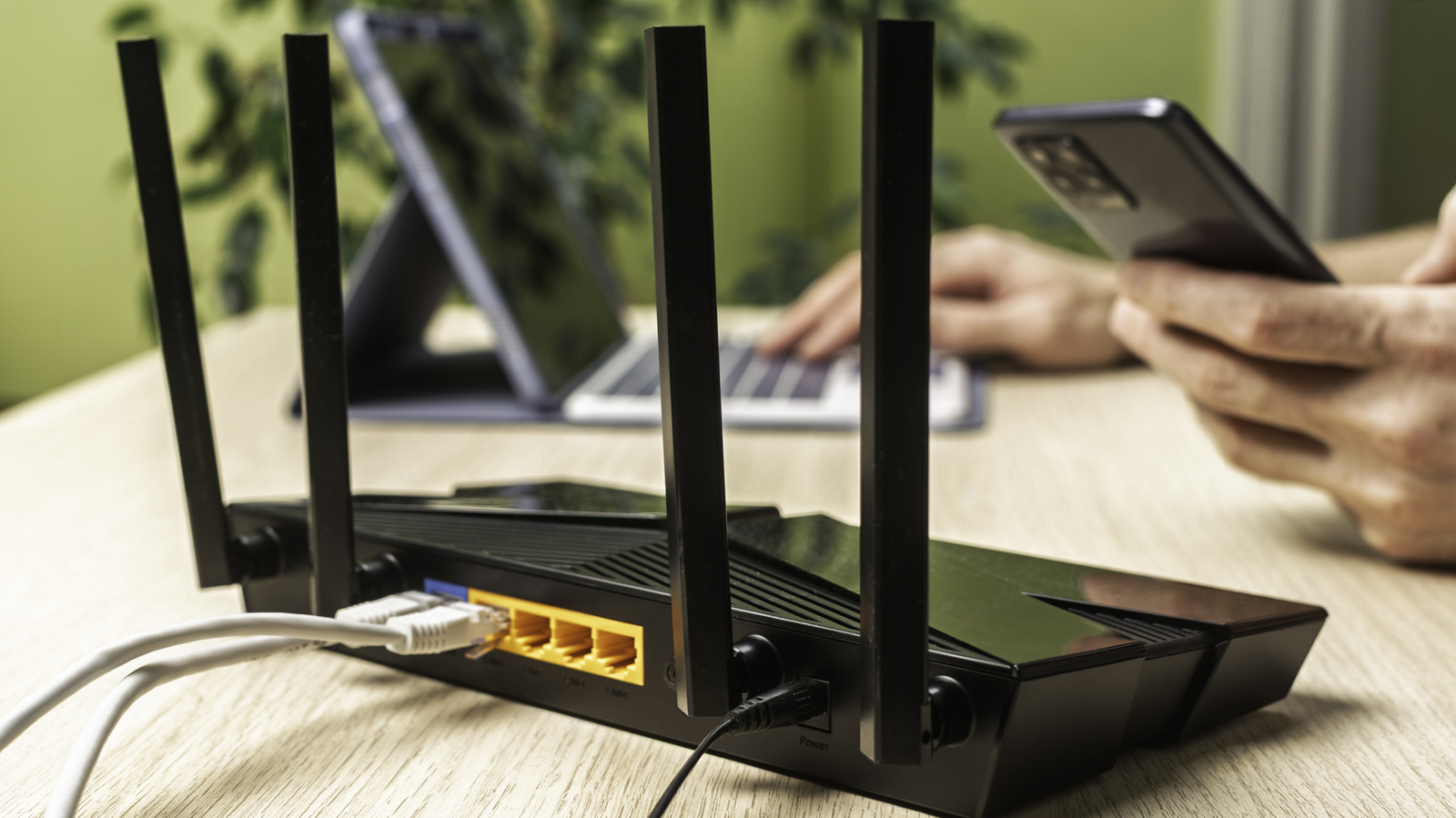
Hand holding smartphone near a wireless router with cables connected.
Vladimir Soldatov/Getty Images

You might not have thought much about configuring your router beyond the initial setup, as long as your Wi-Fi isn’t too slow and works properly. But since the router is the gatekeeper between traffic on your network and the entire internet, it’s important to keep it as secure as possible. Some default settings aren’t the best, and you might have missed tools that strengthen your setup.

It’s not difficult to log into your router and tweak the options that have the largest impact. To begin, while using a computer connected to your home network, type your router’s IP address into your browser’s address bar; this is often 192.168.1.1 or 192.168.0.1 but can differ. 

If you don’t know yours:

  • On Windows, type cmd into the Start menu to open a Command Prompt window, then enter ipconfig and look under the Ethernet or Wireless LAN section, depending on how you’re connected. The address next to Default Gateway is your router’s IP.
  • On a Mac, hold the Option key and click the Wi-Fi icon at the top-right of your screen. Under your network name, you’ll find the needed IP address next to Router.

The credentials to log into the admin panel are not the same as what you use to connect devices to Wi-Fi. If you haven’t ever changed this information, look for a sticker on the back or underside with the details. Every router is different, so the exact menu locations and names of these options may differ for you. The examples below are for an ASUS router.

Change the default credentials


A sticker on a router with the default IP address, username and password.
tomeqs/Shutterstock

This classic online security tip was crucial for a long time because most routers shipped with standard default logins, allowing anyone to look them up online. This problem is thankfully less severe now, since many router manufacturers use random default passwords.

However, it’s still wise to change the login credentials, along with your network name (properly called SSID) and password. Many routers use the model name as their SSID, which gives potential attackers more information to find possible weaknesses in your unit. And you don’t want anyone who checks the sticker to have admin access to your network.

On an ASUS router, the admin login settings are located at Administration > System, under the Router Account box. If you’re able to change the username, do so, since “admin” is the first option anyone will try. Next, change your wireless options under Wireless > General. The password is called WPA Pre-Shared Key in the ASUS platform.

While you’re here, make sure your network security (Authentication Method for ASUS) is set to the strongest standard available, which is currently WPA3-Personal. Some devices won’t work with WPA-3; the most secure option is keeping WPA-3 enabled and avoiding those devices. If that’s not feasible for you, using the mixed WPA2/WPA-3 Personal mode is less secure but should match everything to the highest standard it supports.

Take advantage of the guest network

Most routers have the option to create a second network for guests, which is a great security tool. By default, the guest network doesn’t let devices talk to each other or access resources on your existing network; they have internet access and nothing more. This is great for isolating smart home devices, which have had security and privacy concerns in the past. You can easily check the devices currently connected to a guest network and kick them off if needed.

Your router might provide the option to limit the bandwidth of the guest network so your own devices have priority. If you’re setting up a separate network for kids, you might have the option to limit the hours the network is active or even provide one-time access for a set period. Because guest networks have their own password, you can set something that’s easier to remember while keeping your primary password more complex.

ASUS routers (under Guest Network Pro) even support creating multiple guest networks, so you could have one for friends, a second for kids, and a third for smart devices. Plus, you can set the security protocol independently, making a guest network a great option for keeping WPA2 devices separated.

Disable WPS


The WPS button on the back of a router, alongside the reset pinhole and LED control switch.
Stockphototrends/Getty Images

WPS (Wi-Fi Protected Setup) is intended as a convenience feature to connect devices to Wi-Fi without the password, but it makes your router much less secure. It offers two main methods: a PIN and a button. With the former, you get an eight-digit code from either your router or the device and use that in place of the network password. To use the other method, you press a button on each device within a short time to connect them. For ASUS routers, this option is under Wireless > WPS > Enable WPS.

The PIN’s vulnerability is that instead of a relatively strong 8-digit number, it’s calculated as two separate four-digit numbers. This drastically reduces the number of possible combinations and is thus easy to crack, especially if your router doesn’t limit the number of tries. The button method is less of a problem since it requires physical access, though modern versions of Android and iOS don’t support it, and some routers keep the PIN active if you have the button method enabled.

Thankfully, WPS is rarely necessary these days. When connecting devices where typing a long password is a pain (like streaming boxes), you can often use apps on your phone to put them on your Wi-Fi instead. iOS and Android both offer options for sharing Wi-Fi network access with nearby friends, including via a QR code, which removes the need to enter the password entirely.

Turn off remote management features

Many routers offer the option to manage your network from outside your home. Typically, you do this by entering your public IP address into a browser’s address bar, followed by a port number. You can also use your router’s mobile app. And while this sounds convenient, the security risks of having your router login page potentially open to the entire internet aren’t worth it. That greatly increases your attack surface beyond nearby devices.

On an ASUS router, these controls are under Administration > System. Set Enable Telnet, Enable SSH and Enable Web Access from WAN all to No. If you need remote access, two options let you use it more securely. The first is Enable Access Restrictions (on the same page), which controls which devices can access the router’s admin panel. This restricts all router management, not just remote, so be sure to add several devices (including the one you’re using) to avoid getting locked out.

The second tool is ASUS’s built-in Instant Guard VPN (under VPN > Instant Guard), which creates a VPN tunnel between your home network and mobile devices you install the Instant Guard app (Android | iOS) on. Set this up while you’re at home, and it should let you connect to your home network anywhere. That way, you can use your router’s mobile app to manage the network if needed, while also giving your phone an extra layer of privacy on open networks.

Keep your router updated


Person plugging an Ethernet cable into a wireless router, near a laptop on a table.
Pixel-Shot/Shutterstock

You should restart your router every so often to keep it running well; this can also have some security benefits by stopping any temporary malicious access. 

Like any device, installing the latest updates is a crucial way to stay protected against known exploits. On ASUS routers, this is under Administration > Firmware Upgrade. Enable Auto Firmware Upgrade and Security Upgrade to run updates without having to check manually. If this isn’t available, you’ll need to manually install updates from the router manufacturer; there should be instructions to do so.

If your router has reached its end of life, an advanced method (which takes more than 10 minutes) is installing alternate router firmware like DD-WRT or FreshTomato to keep it going without opening your network to risk or buying a new unit. And if you’re using an ISP-provided router that doesn’t offer some of these options, upgrading to your own router will likely give you much more control over its security.


Original Source Link

Share. Facebook Twitter Pinterest LinkedIn Reddit WhatsApp Telegram Email
Previous ArticleBook Riot’s Deals of the Day for September 27, 2026
Next Article Pearl Jam Play With New Drummer at Ohana Fest

Related Posts

Bose’s Throwback To Wired Earbuds Add Much-Needed ANC

September 28, 2026

Best Party Speakers (2026): JBL, Sony, Marshall, and More

September 28, 2026

Old-School Credit Card Scams Are Far From Dead

September 27, 2026

Get Better Audio Quality From Your Vinyl By Upgrading This Part

September 26, 2026

Quince Luggage Is Affordable but Doesn’t Feel Cheap (2026)

September 26, 2026

Microsoft’s Copilot App Adds Office, Natural Coding And Automation

September 25, 2026
Recent Posts

‘The Vampire Lestat’ Is Coming Home to Blu-ray/DVD and Available to Pre-Order Now

‘RHOC’ Fans Slam Tamra Judge Discussing Daughter’s Virginity

Brad Pitt’s Heart of the Beast Holds Its Own at Box Office Amid Stiff Competition

Watch Kylie Minogue’s epic performance from AFL Grand Final

Best Party Speakers (2026): JBL, Sony, Marshall, and More

The Buzziest Books of September | 2026

Khloe Kardashian Has the Most Sister-Coded Reply to Kim & Kris Jenner

Categories
  • Art (2)
  • Books (2,373)
  • Box Office (1,747)
  • Business (5)
  • Cover Story (81)
  • Events (14)
  • Featured Stories (49)
  • Film (2,390)
  • Horror (2,375)
  • Music (2,450)
  • Politics (1,556)
  • Reality TV (1,836)
  • Technology (2,385)
  • Television (2,284)
  • Uncategorized (2)
Archives
Useful Links
  • About
  • Contact
  • Privacy Policy
  • DMCA / Copyright Disclaimer
  • Amazon Disclaimer
  • Terms and Conditions
Popular Posts

Brandi Glanville Illness Questioned By Kelly Dodd, ‘Meth Or Crack’

September 23, 2026

Sense and Sensibility review – a wildly beautiful…

September 23, 2026

Mark E Smith’s fiancée and last manager hits out at The Fall’s final album as “cash grab” and “ethically wrong”

September 23, 2026

How to Claim Your Cut of Apple’s $250 Million Siri Settlement

September 23, 2026

🏆 The 2026 Booker Prize shortlist

September 23, 2026

Christina Applegate’s New Look Has One Unexplained Detail

September 22, 2026

U.S. says Russia lost control of diesel oil

September 22, 2026
Categories
  • Art (2)
  • Books (2,373)
  • Box Office (1,747)
  • Business (5)
  • Cover Story (81)
  • Events (14)
  • Featured Stories (49)
  • Film (2,390)
  • Horror (2,375)
  • Music (2,450)
  • Politics (1,556)
  • Reality TV (1,836)
  • Technology (2,385)
  • Television (2,284)
  • Uncategorized (2)
Recent Posts
  • Alleged bomb threat, five arrested on terror charges
  • The Last Kiss Lands on VOD
  • ‘Bargain Block’s Keith Bynum Takes Swipe at HGTV in Fan Update
  • Cotton Queen review – reclaims the crown for…
  • Olivia Rodrigo Unraveled Tour 2026-2027 Tickets: How to Buy Online
  • Bose’s Throwback To Wired Earbuds Add Much-Needed ANC
  • Nigerian Author’s Debut Is a Gothic Tale in a Wholly New Setting
Our Picks

Alleged bomb threat, five arrested on terror charges

The Last Kiss Lands on VOD

‘Bargain Block’s Keith Bynum Takes Swipe at HGTV in Fan Update

Cotton Queen review – reclaims the crown for…

© 2026 The Hollywood Elites Magazine. All rights reserved. All articles, images, product names, logos, and brands are property of their respective owners. All company, product and service names used in this website are for identification purposes only. Use of these names, logos, and brands does not imply endorsement unless specified. By using this site, you agree to the Terms & Conditions and Privacy Policy.

Type above and press Enter to search. Press Esc to cancel.

We use cookies on our website to give you the most relevant experience by remembering your preferences and repeat visits. By clicking “Accept All”, you consent to the use of ALL the cookies. However, you may visit "Cookie Settings" to provide a controlled consent.
Cookie SettingsAccept All
Manage consent

Privacy Overview

This website uses cookies to improve your experience while you navigate through the website. Out of these, the cookies that are categorized as necessary are stored on your browser as they are essential for the working of basic functionalities of the website. We also use third-party cookies that help us analyze and understand how you use this website. These cookies will be stored in your browser only with your consent. You also have the option to opt-out of these cookies. But opting out of some of these cookies may affect your browsing experience.
Necessary
Always Enabled
Necessary cookies are absolutely essential for the website to function properly. These cookies ensure basic functionalities and security features of the website, anonymously.
CookieDurationDescription
cookielawinfo-checkbox-analytics11 monthsThis cookie is set by GDPR Cookie Consent plugin. The cookie is used to store the user consent for the cookies in the category "Analytics".
cookielawinfo-checkbox-functional11 monthsThe cookie is set by GDPR cookie consent to record the user consent for the cookies in the category "Functional".
cookielawinfo-checkbox-necessary11 monthsThis cookie is set by GDPR Cookie Consent plugin. The cookies is used to store the user consent for the cookies in the category "Necessary".
cookielawinfo-checkbox-others11 monthsThis cookie is set by GDPR Cookie Consent plugin. The cookie is used to store the user consent for the cookies in the category "Other.
cookielawinfo-checkbox-performance11 monthsThis cookie is set by GDPR Cookie Consent plugin. The cookie is used to store the user consent for the cookies in the category "Performance".
viewed_cookie_policy11 monthsThe cookie is set by the GDPR Cookie Consent plugin and is used to store whether or not user has consented to the use of cookies. It does not store any personal data.
Functional
Functional cookies help to perform certain functionalities like sharing the content of the website on social media platforms, collect feedbacks, and other third-party features.
Performance
Performance cookies are used to understand and analyze the key performance indexes of the website which helps in delivering a better user experience for the visitors.
Analytics
Analytical cookies are used to understand how visitors interact with the website. These cookies help provide information on metrics the number of visitors, bounce rate, traffic source, etc.
Advertisement
Advertisement cookies are used to provide visitors with relevant ads and marketing campaigns. These cookies track visitors across websites and collect information to provide customized ads.
Others
Other uncategorized cookies are those that are being analyzed and have not been classified into a category as yet.
SAVE & ACCEPT