
Close Menu
The Hollywood Elites Magazine
  • Home
  • Film
  • Television
  • Box Office
  • Reality TV
  • Music
  • Horror
  • Books
  • Technology
  • Politics
  • Cover Story
  • Contact
    • About
    • Privacy Policy
    • DMCA / Copyright Disclaimer
    • Amazon Disclaimer
    • Terms and Conditions
What's Hot

‘Odyssey’ No. 1 Over ‘Spider-Man’; ‘Brand New Day’ $2.4B

Elizabeth Holmes’ Pre-Prison Life Exposed in New Documentary

EU announces funding boost for Greeland amid Trump threats

Facebook X (Twitter) Instagram
The Hollywood Elites Magazine
  • Home
  • Film
  • Television
  • Box Office
  • Reality TV
  • Music
  • Horror
  • Books
  • Technology
  • Politics
  • Cover Story
  • Contact
    • About
    • Privacy Policy
    • DMCA / Copyright Disclaimer
    • Amazon Disclaimer
    • Terms and Conditions
The Hollywood Elites Magazine
You are at:Home»Technology»How To Change Siri’s Voice
Technology

How To Change Siri’s Voice

By AdminSeptember 7, 2026
Facebook Twitter Pinterest Telegram LinkedIn Tumblr Email Reddit
How To Change Siri’s Voice


Siri’s voice will be more expressive in iOS 27, but only if you have the latest hardware.
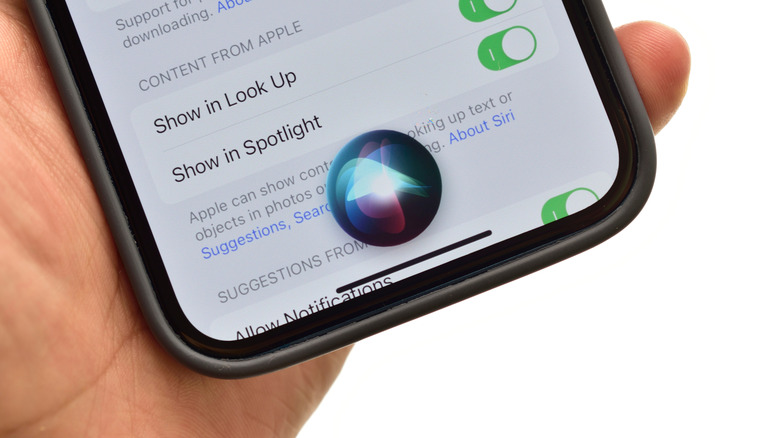

Close-up view of Siri, activated on an iPhone with the Siri logo displayed at the bottom of the screen.
Funstock/Shutterstock

Apple is still playing a cautious catch-up game with Google and Samsung in deploying agentic AI features and AI assistant capabilities. But the company is looking to change that with the upcoming release of iOS 27 and a complete overhaul of Siri. But if you want to change Siri’s voice or make a few additional tweaks to the iOS mascot, you don’t have to wait for the new update to roll out in mid-September. 

On current versions of iOS and iPadOS, go to Settings > Apple Intelligence & Siri > Voice. Select one of the available options, listen to the playback, and decide whether it’s the right option for you. You may have to wait a moment as the new accent or voice downloads, but it doesn’t take long. Just make sure you stay connected to WiFi or your carrier network until it’s complete.

You can also change how Siri responds by going to Settings > Apple Intelligence & Siri > Talk & Type to Siri or Siri Responses, depending on your software version. From here, you can choose whether Siri speaks out loud, responds quietly or responds with on-screen text only. However, if you jumped on the iOS 27 bandwagon a little early with the iOS 27 beta, you may have a few more Siri-related options to toy with.

What is expressive voice?

Siri Expressive Voice is Apple’s upcoming term for a more versatile and natural-sounding Siri in iOS27. Unfortunately, a fully customizable Siri Expressive Voice will be restricted to the iPhone 17 Pro, Pro Max and Air and iPads with an M4 chip or newer and 12GB of RAM. Compatible devices will let iPhone, iPad, and Mac users customize the expressiveness and pace of Siri’s voice. You’ll have more control over Siri’s delivery, but not necessarily a larger list of voice varieties in the current Siri menu.

If you have access to and download the iOS 27 beta, you won’t see much of a difference in the Settings menu. However, tapping Settings > Siri > Voice will open up a new screen, all black with a radiating white orb in the center. Selecting a voice presents a drop-down menu. As of this writing, only American and British options will reveal Pace and Expressivity sliders. The other English options and languages lack adjustment features. Sliding the button to the right increases the sense of emotion, dynamic emphasis and inflection of Siri’s voice. Sliding to the left makes the voice more robotic and neutral.

How to change Siri’s speed and responses
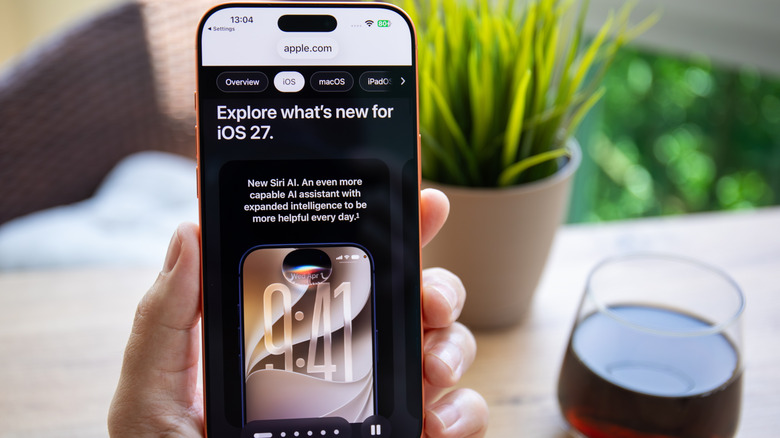

iPhone 17 displaying an apple.com news story on what is new for the iOS 27 update.
DenPhotos/Shutterstock

If you want to speed Siri up, slow things down, or create a little breathing room between your query and Siri’s response, you don’t need the new iOS 27 update to do so. Open Settings > Accessibility > Siri. Apple groups several behavior controls in this menu, with a long Speaking Rate slider running across the screen. Depending on your device and update status, you’ll have several adjustable options to choose from:

  • Speaking Rate: Adjust Siri’s voice towards a slower or faster pace.

  • Siri Pause Time: Sets how long Siri waits before responding to your typed or spoken query.

  • Spoken Responses: Controls whether Siri speaks out loud or presents as text on your screen.

  • Listen for Atypical Speech: Allows Siri to expand recognizable speech patterns so Siri can understand you when you’re talking with a mouthful of food.

  • Require “Siri” for interruptions: Saying “Siri” out loud will cut Siri off mid-sentence.

  • Always Show Request: Displays a transcription of your speech on the screen.

There are several others that more or less have to do with Siri, and they’re useful even if iOS 27’s expressive voice feature is unavailable to you. Ultimately, iPhones going back to the SE second generation and iPhone 11 will receive the iOS 27 update, but the degree of Apple Intelligence features will vary, and only the latest iPhones will get the full feature set.


Original Source Link

Share. Facebook Twitter Pinterest LinkedIn Reddit WhatsApp Telegram Email
Previous ArticleFocus in on the New Fiction to Prioritize This Month
Next Article 5 Great Prog Metal Bands Who Only Released 1 Album

Related Posts

The Best Laptop Backpacks for Work, Travel, and Everything Between (2026)

September 7, 2026

How To Check Your PC’s Hard-Drive Health

September 6, 2026

There May Not Be an iPhone 18 This Year

September 6, 2026

Is It Worth Paying Extra For iCloud Storage?

September 5, 2026

Home Depot Labor Day Sale (2026): BOGO on Best Grills and Tools

September 5, 2026

A Worthy Android Ereader, With Some Tradeoffs

September 4, 2026
Recent Posts

Pregnant Alex Cooper Says Her Baby’s ‘Already Won the Aunt Lottery’

SEC sues ISS as Trump admin ramps up scrutiny of proxy advisers

Interview: Discussing the Sleep Terrors of PARASOMNIA with James Ross II & Jasmine Mathews

‘Married At First Sight’ Stars Lose Twins 9 Days After Birth

Fauda, Salma Hayek’s Blockbuster & More Netflix Releases This Week

14 People Hospitalized During The Chainsmokers Concert in San Jose

The Best Laptop Backpacks for Work, Travel, and Everything Between (2026)

Categories
  • Art (2)
  • Books (2,331)
  • Box Office (1,711)
  • Business (4)
  • Cover Story (77)
  • Events (13)
  • Featured Stories (49)
  • Film (2,348)
  • Horror (2,333)
  • Music (2,407)
  • Politics (1,512)
  • Reality TV (1,795)
  • Technology (2,342)
  • Television (2,240)
  • Uncategorized (2)
Archives
Useful Links
  • About
  • Contact
  • Privacy Policy
  • DMCA / Copyright Disclaimer
  • Amazon Disclaimer
  • Terms and Conditions
Popular Posts

‘Moulin Rouge!’ Bids Adieu To Broadway With Big Box Office

September 2, 2026

Nicole Kidman’s Sheer High-Low Dress Rides High With Lacy Manolo Blahniks

September 2, 2026

U.S. completes fresh strikes on Iran as Mideast tensions flare again

September 2, 2026

Horror Highlights: BUDDY, An Evening with Kane Hodder, THE OTHERKIND

September 2, 2026

‘Counting On’ Austin Forsyth & Joy Duggar Announce 2027 Baby

September 2, 2026

Hokum (2026) Movie Review

September 2, 2026

Alanis Morissette Sues Ex-Tour Manager With Extortion, Fraud Claims

September 2, 2026
Categories
  • Art (2)
  • Books (2,331)
  • Box Office (1,711)
  • Business (4)
  • Cover Story (77)
  • Events (13)
  • Featured Stories (49)
  • Film (2,348)
  • Horror (2,333)
  • Music (2,407)
  • Politics (1,512)
  • Reality TV (1,795)
  • Technology (2,342)
  • Television (2,240)
  • Uncategorized (2)
Recent Posts
  • ‘Odyssey’ No. 1 Over ‘Spider-Man’; ‘Brand New Day’ $2.4B
  • Elizabeth Holmes’ Pre-Prison Life Exposed in New Documentary
  • EU announces funding boost for Greeland amid Trump threats
  • Zach Cregger Is No Longer Writing the ‘Weapons’ Prequel ‘Gladys’
  • Fox Business Correspondent Blasts Trump For New Mexico Renaming Stunt
  • Rob Reiner Wins Posthumous Emmy for ‘The Bear’
  • 5 Great Prog Metal Bands Who Only Released 1 Album
Our Picks

‘Odyssey’ No. 1 Over ‘Spider-Man’; ‘Brand New Day’ $2.4B

Elizabeth Holmes’ Pre-Prison Life Exposed in New Documentary

EU announces funding boost for Greeland amid Trump threats

Zach Cregger Is No Longer Writing the ‘Weapons’ Prequel ‘Gladys’

© 2026 The Hollywood Elites Magazine. All rights reserved. All articles, images, product names, logos, and brands are property of their respective owners. All company, product and service names used in this website are for identification purposes only. Use of these names, logos, and brands does not imply endorsement unless specified. By using this site, you agree to the Terms & Conditions and Privacy Policy.

Type above and press Enter to search. Press Esc to cancel.

We use cookies on our website to give you the most relevant experience by remembering your preferences and repeat visits. By clicking “Accept All”, you consent to the use of ALL the cookies. However, you may visit "Cookie Settings" to provide a controlled consent.
Cookie SettingsAccept All
Manage consent

Privacy Overview

This website uses cookies to improve your experience while you navigate through the website. Out of these, the cookies that are categorized as necessary are stored on your browser as they are essential for the working of basic functionalities of the website. We also use third-party cookies that help us analyze and understand how you use this website. These cookies will be stored in your browser only with your consent. You also have the option to opt-out of these cookies. But opting out of some of these cookies may affect your browsing experience.
Necessary
Always Enabled
Necessary cookies are absolutely essential for the website to function properly. These cookies ensure basic functionalities and security features of the website, anonymously.
CookieDurationDescription
cookielawinfo-checkbox-analytics11 monthsThis cookie is set by GDPR Cookie Consent plugin. The cookie is used to store the user consent for the cookies in the category "Analytics".
cookielawinfo-checkbox-functional11 monthsThe cookie is set by GDPR cookie consent to record the user consent for the cookies in the category "Functional".
cookielawinfo-checkbox-necessary11 monthsThis cookie is set by GDPR Cookie Consent plugin. The cookies is used to store the user consent for the cookies in the category "Necessary".
cookielawinfo-checkbox-others11 monthsThis cookie is set by GDPR Cookie Consent plugin. The cookie is used to store the user consent for the cookies in the category "Other.
cookielawinfo-checkbox-performance11 monthsThis cookie is set by GDPR Cookie Consent plugin. The cookie is used to store the user consent for the cookies in the category "Performance".
viewed_cookie_policy11 monthsThe cookie is set by the GDPR Cookie Consent plugin and is used to store whether or not user has consented to the use of cookies. It does not store any personal data.
Functional
Functional cookies help to perform certain functionalities like sharing the content of the website on social media platforms, collect feedbacks, and other third-party features.
Performance
Performance cookies are used to understand and analyze the key performance indexes of the website which helps in delivering a better user experience for the visitors.
Analytics
Analytical cookies are used to understand how visitors interact with the website. These cookies help provide information on metrics the number of visitors, bounce rate, traffic source, etc.
Advertisement
Advertisement cookies are used to provide visitors with relevant ads and marketing campaigns. These cookies track visitors across websites and collect information to provide customized ads.
Others
Other uncategorized cookies are those that are being analyzed and have not been classified into a category as yet.
SAVE & ACCEPT